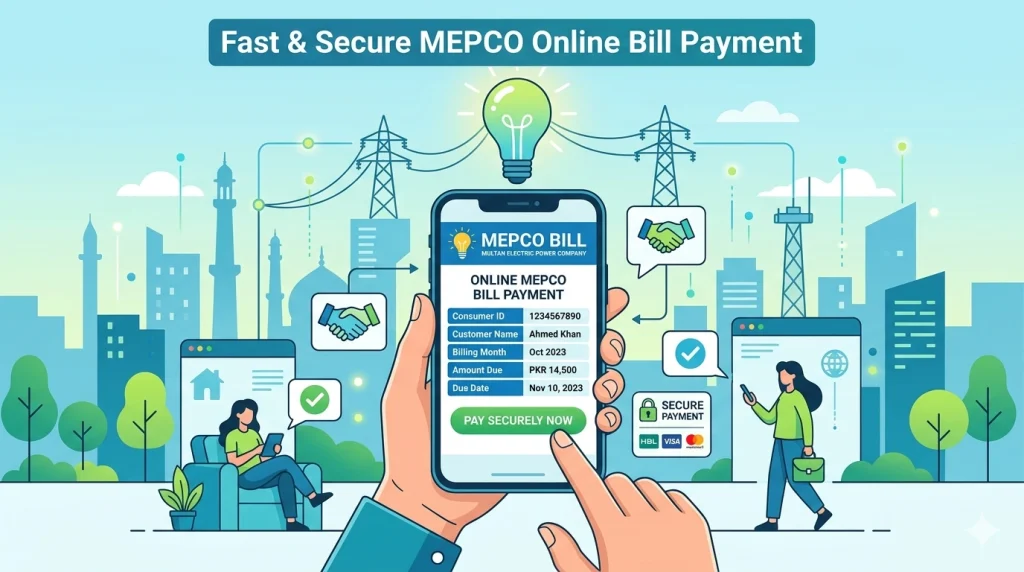
Easypaisa MEPCO Bill Payment Step by Step Guide
Introduction
Paying electricity bills in Pakistan has become much easier with mobile wallets. One of the most popular and convenient methods is using Easypaisa. If you are a MEPCO user, you can now complete your MEPCO bill payment via Easypaisa within minutes—without visiting a bank.
Whether you are at home or on the go, the Easypaisa app allows you to pay MEPCO bill online quickly and securely. In this guide, we’ll explain the Easypaisa MEPCO bill payment step by step process, along with tips, common issues, and solutions to make your electricity bill payment smooth and hassle-free.
What is Easypaisa MEPCO Bill Payment?
Easypaisa MEPCO bill payment step by step refers to the process of paying your electricity bill using the Easypaisa mobile wallet.
You only need:
- A registered Easypaisa account
- Internet connection
- Your 14-digit reference number
Quick Answer:
To pay your MEPCO bill via Easypaisa, open the app, select bill payment, enter your reference number, and confirm payment.
Why Use Easypaisa for MEPCO Bill Payment?
Using bill payment via Easypaisa offers several benefits:
- ✔ No need to visit banks
- ✔ Available 24/7
- ✔ Fast and secure transactions
- ✔ Instant payment confirmation
- ✔ Easy to use mobile interface
This makes it the easy way to pay electricity bill via Easypaisa in Pakistan.
Step-by-Step Guide: Easypaisa MEPCO Bill Payment
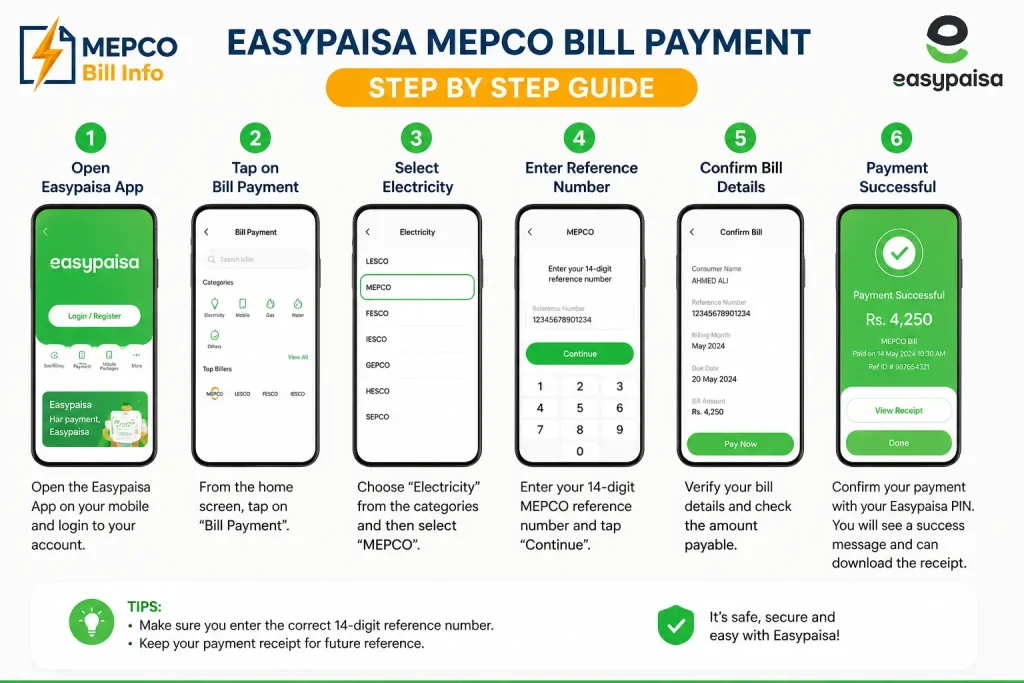
Follow this simple step by step MEPCO bill payment via Easypaisa process:
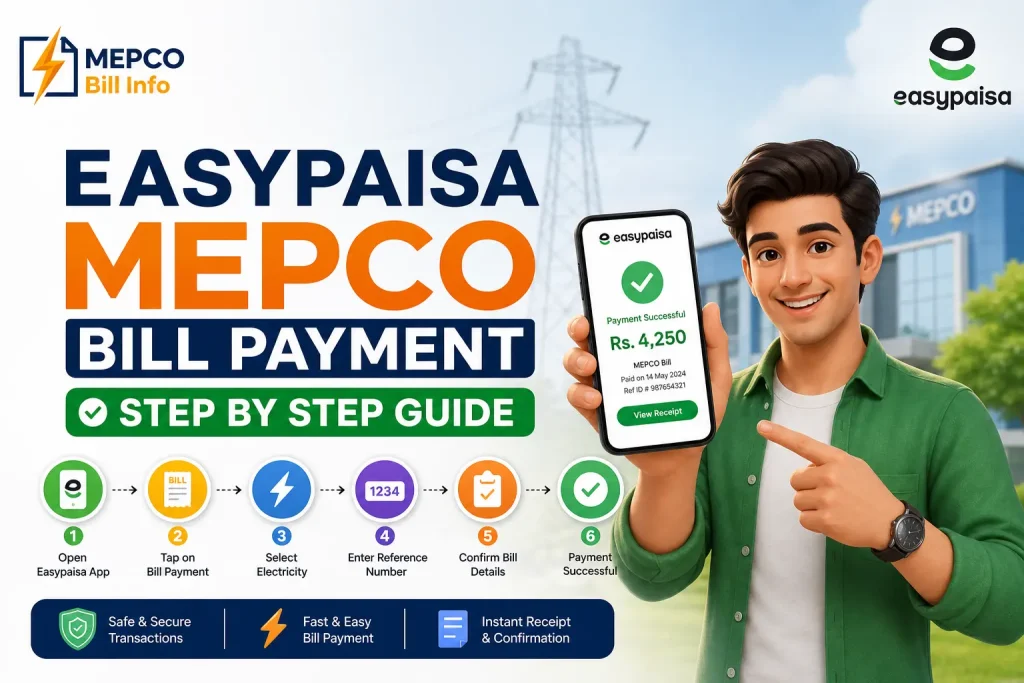
Step 1: Open Easypaisa App
Launch the Easypaisa app on your mobile.
Step 2: Select “Bill Payment”
Tap on the Bill Payment option from the home screen.
Step 3: Choose Electricity
Select Electricity from the categories.
Step 4: Select MEPCO
Choose MEPCO from the list of companies.
Step 5: Enter Reference Number
Enter your 14-digit reference number carefully.
Step 6: View Bill Details
Your MEPCO bill details will appear, including:
- Bill amount
- Due date
- Consumer name
Step 7: Confirm Payment
Tap Pay Now and enter your PIN.
Step 8: Receive Confirmation
You will receive:
- SMS confirmation
- In-app receipt
✔ Quick Tip:
Always save your receipt for future reference.
Important Information Users Should Know
Before making mepco bill payment via Easypaisa, keep these points in mind:
- Reference number is required
- Ensure sufficient balance
- Check bill details before paying
- Payments are usually instant
Common Problems and Solutions
Here are common issues during mepco bill payment through Easypaisa without error:
Problem 1: Payment Failed
Solution:
- Check internet connection
- Ensure wallet balance
- Retry after few minutes
Problem 2: Wrong Reference Number
Solution:
- Re-enter correctly
- Verify from old bill
Problem 3: Payment Not Confirmed
Solution:
- Wait a few minutes
- Check SMS
- Contact support if needed
Tips for Smooth Payment
To make your online paisa bill payment easier:
- Save your reference number
- Pay before due date
- Keep transaction receipt
- Use updated app version
- Avoid peak internet hours
Frequently Asked Questions (FAQs)
How to pay the MEPCO bill through Easypaisa step by step?
Open Easypaisa → Bill Payment → Electricity → MEPCO → Enter reference number → Confirm payment.
Is Easypaisa safe for bill payment?
Yes, it is a secure and trusted platform in Pakistan.
What is required for payment?
You need your 14-digit reference number and wallet balance.
Can I pay MEPCO bill online using Easypaisa app?
Yes, it is one of the easiest methods.
Do I get payment confirmation?
Yes, you receive SMS and app confirmation.
What if payment fails?
Retry after checking internet and balance.
Are there any charges?
Usually minimal or no charges for bill payment.
Can I pay bill anytime?
Yes, Easypaisa works 24/7.
Conclusion
Easypaisa MEPCO bill payment step by step is among the quickest and simplest procedure of paying your electricity bill in Pakistan. You can pay your MEPCO bill easily without any inconvenience with a few taps on your mobile.
Using this guide you can make sure that you can pay your electricity bills easily, safely and fast through Easypaisa. Remember to never leave out any information and to keep your receipt.